How a hidden shopping center became easy to find and choose
Eaton Square
People couldn't tell what was even there, so they walked and scrolled right past. We turned a hidden spot into one customers actually find and choose. Whether you're tucked inside a plaza or buried below the fold on Google, being invisible costs you the same.
Eaton Square has a simple but serious problem: it's easy to walk past. Most people don't know what businesses are inside, what they offer, or why they should stop.
It wasn't really a signage problem — it was a discovery problem. A visitor could be standing right in front of the property and still not understand what was available.
Businesses lose attention, visitors lose clarity, and management loses an easy way to show the full value of the location.
It wasn't signage. It was discovery.
We approached it as a discovery problem first. Before building a public directory, every business had to be mapped, documented, and understood.
So the first build wasn't the website. It was the system for collecting the accurate, living information the website would need to actually be useful.
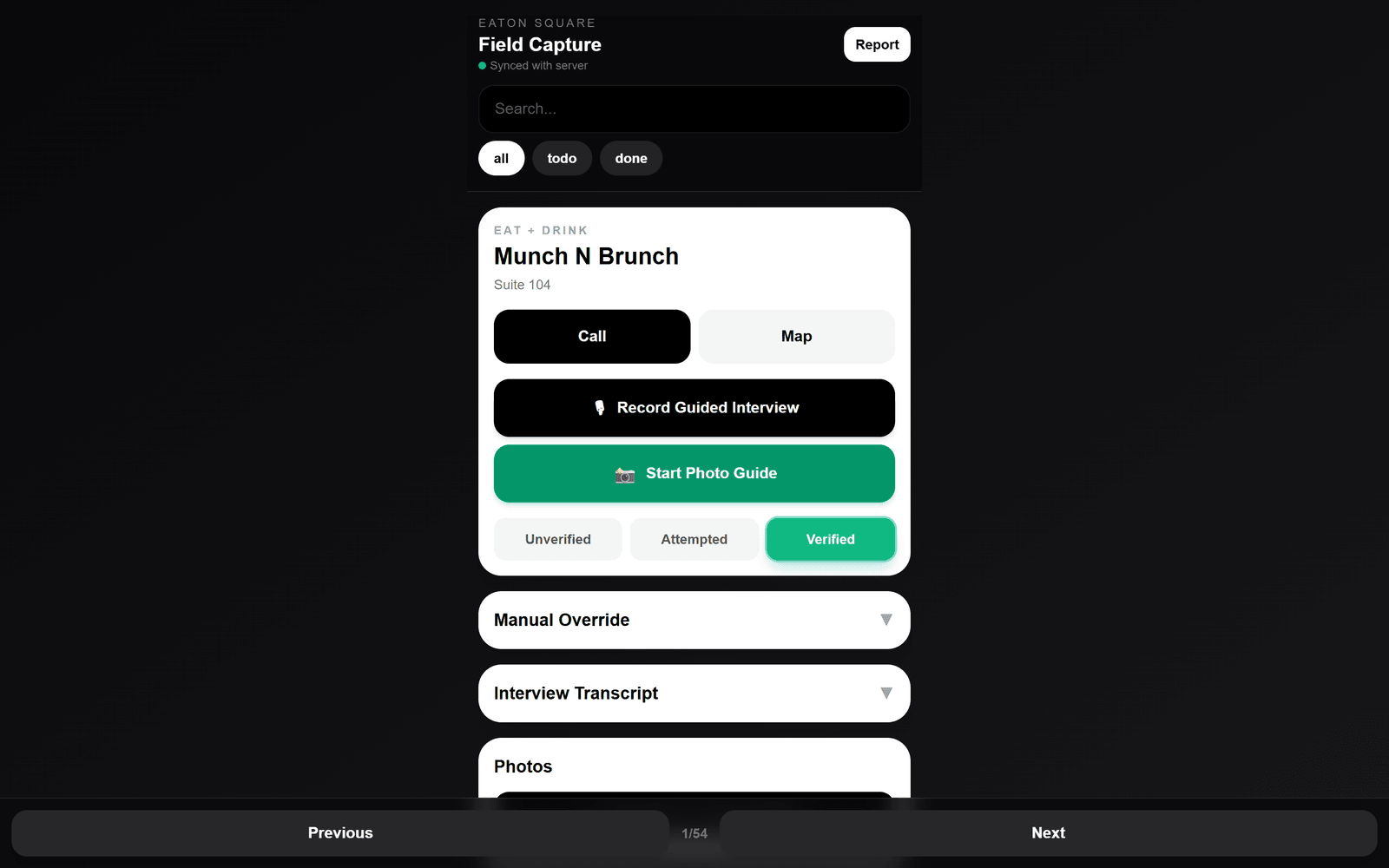
The Eaton Square Field Capture build — an internal app that guides someone through visiting or calling each business and capturing everything the public directory needs.
Guided interview
A scripted on-site interview, recorded and transcribed into usable text.
Photo guide
A step-by-step flow for clean, consistent storefront photos.
Call & map
Reach or route to each business straight from the field.
Report
Flag issues management should know about, business by business.
The app gave the field person one simple, repeatable workflow:
- 1Map the business
- 2Call or visit the location
- 3Run the guided interview
- 4Capture photos
- 5Move to the next business
Directly from each business — not guessed:
- —Business name, address, phone, and hours
- —Contact person and email
- —Social links and photos
- —Products, services, and specialties
- —Promotions and the business story
- —Pain points management should know about
Most directories fail because they're built from stale or incomplete information — wrong hours, missing numbers, no photos, generic descriptions.
This build solved that at the source: a repeatable way to collect real information from every business, captured directly from them.
It also gave management a clearer view of what each business offers, what it needs, and where small issues might be affecting the whole property.
Built from the source, not from assumptions.
Once businesses were captured, the public site brought them into one place so visitors can quickly see:
- —What's inside Eaton Square
- —Which businesses are there and what each offers
- —How to contact them and when they're open
- —What makes each one worth visiting
The capture system is the foundation for a full visibility layer:
- —A complete, always-current business directory
- —QR codes around the property
- —Storefront photo updates and spotlight pages
- —Event and promotion listings
- —Visitor guides and management reports
- —Tenant issue tracking
- —AI summaries generated from business updates
People can't visit what they don't notice. We turned a hidden collection of businesses into one clear, walk-in-ready path.
Want this kind of path for your business?
Start the Clarity PathSee what your business is missing.
Or book a 15-minute call